 brocoded
How Brocoded works
Brocoded connects your phone to the coding agent running on your computer. Set it up once, then see what the agent is doing and answer it from anywhere.
Install it where your agent runs.
Brocoded runs in the background on your Mac or Windows PC. It owns the terminal sessions you start from your phone and watches the agent you already use.
- MacmacOS 13 or newer, Apple silicon or Intel. One command in Terminal, or the .dmg.
- WindowsWindows 10 or 11. Run the installer and allow private-network access if asked.
- Your agentMake sure
claude,codexoragystarts normally in a terminal. Brocoded does not replace it.
~ $ curl -fsSL https://brocoded.cloud/install.sh | sh
Finding the latest Brocoded for your Mac…
✓ Installed in /Applications
✓ Brocoded is running
~ $ claude --version
✓ your agent starts normally
Scan one QR code. That is the whole setup.
On the computer, choose Pair a phone. On the phone, scan the code. Both screens show the same short code so you know you are pairing the right devices, and the Mac app asks you to allow it.
- No portsNothing to open on your router, no VPN, no SSH keys.
- One useA pairing code works once and expires after 5 minutes.
- Keys stay putThe encryption keys are made on your two devices. The private halves never leave them.
- Your phoneiPhone: open it in Safari and add it to the Home Screen. Android: install the .apk. Phone setup
Pick up a session, or start a new one.
Open your computer from the phone and you see its sessions. Join one that is running, continue an earlier Claude Code or Codex conversation in the same folder, or start a fresh session in any folder.
- A real terminalFull-width output at 80 columns, with Esc, Tab, Ctrl and arrow keys in a key bar.
- Longer promptsA compose sheet for typing a longer message, then sending it in one go.
- Stays on your computerThe session runs on your computer. Close the app or lose signal and it keeps going. The phone reconnects when you are back.
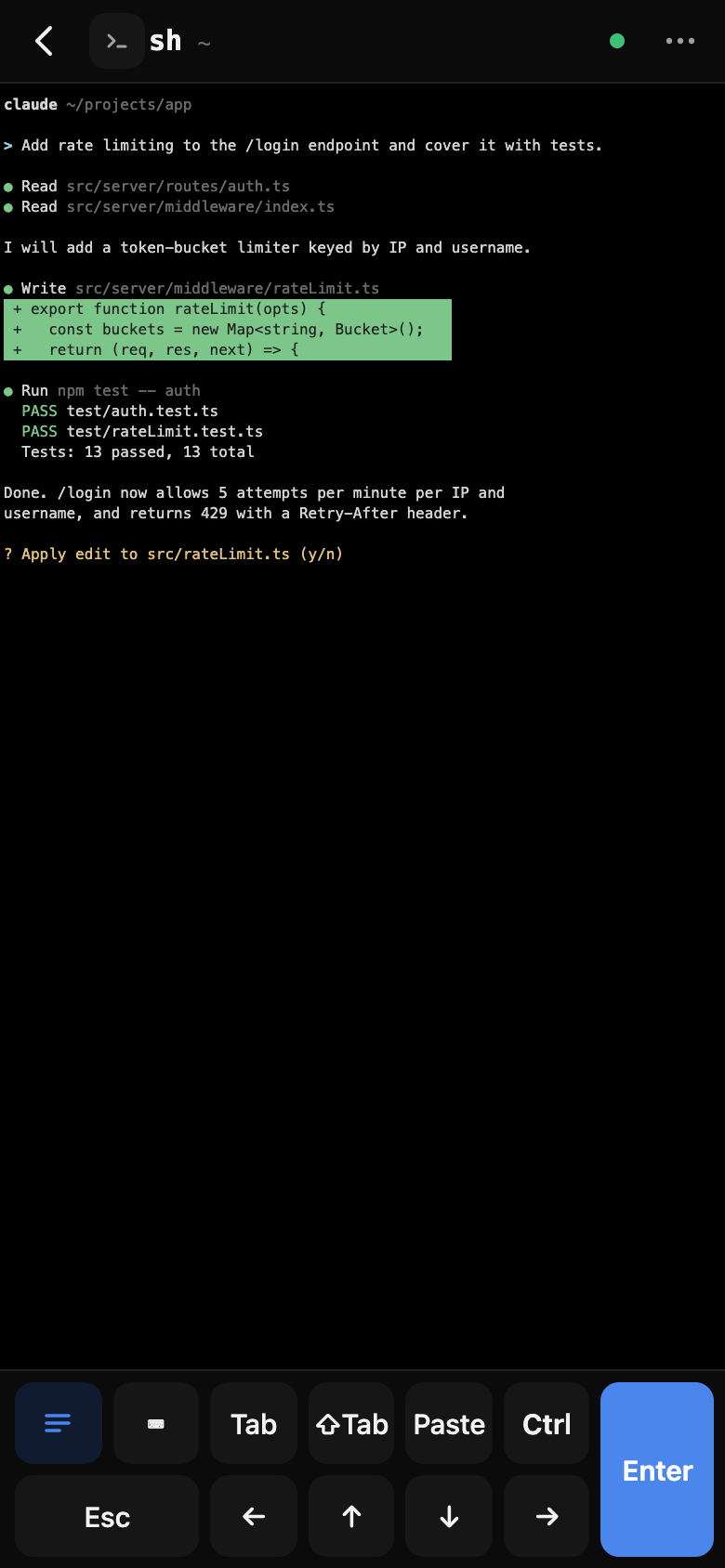
See what it wants. Answer from your phone.
When the agent needs you, your phone gets an alert and the inbox shows a card with the full command, not a summary. Answer on whichever device is closest. The first answer wins and the other screen updates.
- Approve or denySee the exact command or edit, then say yes or no.
- Answer questionsReply to the agent when it asks you something.
- Review changesA read-only git diff of the session’s folder, file by file.
- Ship itStage, commit and push from the phone.
- AlertsOptional push alerts carry fixed wording such as “A session needs you”. No session text goes through them.
The relay carries it. It cannot read it.
Your phone and computer talk through a relay on Cloudflare, so neither one needs an open port. Everything about your sessions is end-to-end encrypted between the two devices. The relay sees when a device connected and how big a message was, and nothing inside it. Read the security details.
Try it on your own agent.
Install on your computer, scan one QR code and you are in control from your phone.